Mixed sizes
Passport, wallet, frame, school, scrapbook, and reference photos can share one page.
 PrintExactly
Precision photo printing for macOS
PrintExactly is a native Mac photo-printing layout app. Set each Photo Frame's size in inches, cm, or mm. Mix sizes and copies on one sheet, check printer margins, then review 100% scale before printing. Use scaling controls where available; otherwise check the app or printer-driver documentation and measure a test print. Import selected pages or page ranges from a PDF, and each PDF Frame starts at its original physical size.
Version 1.5.0 · Released · English and German

Task workflow
Direct answer. Choose the Page for the printer and paper you will actually use, set each Frame's physical width and height in inches, cm, or mm rather than pixels, then use 100% through the macOS print panel only if that control is available, and turn Scale to Fit off only if offered; otherwise consult the app or driver documentation. Measure a test print with a ruler.
Pick the Mac printer you will actually use and set the Page to a paper that printer reports — A4, US Letter, 4 × 6, or a stock from the printer's own media list. Borderless media shows up directly on the canvas because the page size menu matches the printer's real media list.
Set the Frame width and height in millimeters, centimeters, or inches, then place the photo, snap to guides, and set copies per item. Auto Arrange packs mixed sizes and copies across the sheet so different finished sizes can share one Page.
Read the per-item effective DPI, confirm nothing important sits outside the printable area. If the print controls offer it, choose 100% scale and turn Scale to Fit off; otherwise consult app or driver documentation. Measure one test print with a ruler before committing to the full job.
Practical guides
Each guide walks one job end to end, from Page choice to the final 100% print check.
Layout library
Start from 18 standard page presets — A3, A4, A5, A6, B4/B5, Letter, Legal, Tabloid, envelopes, and photo sizes — matched to the papers your printer actually reports, then combine finished sizes with custom measurements and add crop marks, bleed, spacing, or borders when the job needs trimming.

Passport, wallet, frame, school, scrapbook, and reference photos can share one page.
Add cut marks and bleed without losing sight of the final physical dimensions.
Save Page setup and Frame layouts as named presets, including a reusable single-page ID layout with multiple copies of an existing photo. Photos and Content adjustments like crop, fit, and rotation are not included, and applying a preset does not create copies. Applying a preset checks paper compatibility and clipping and warns when the layout may not fit. Read the reusable-layout preset guide.
PDF pages
Import selected pages or page ranges from an unencrypted PDF alongside images. Each PDF Frame starts at the page's original physical size, so a plan, pattern, or text page arrives at its real dimensions. Printing and exporting keep PDF vector text and lines as vectors instead of substituting image pixels.
Use cases
From wallet copies to scrapbook inserts, each photo keeps its own finished size while the whole sheet stays ready for trimming and printing.
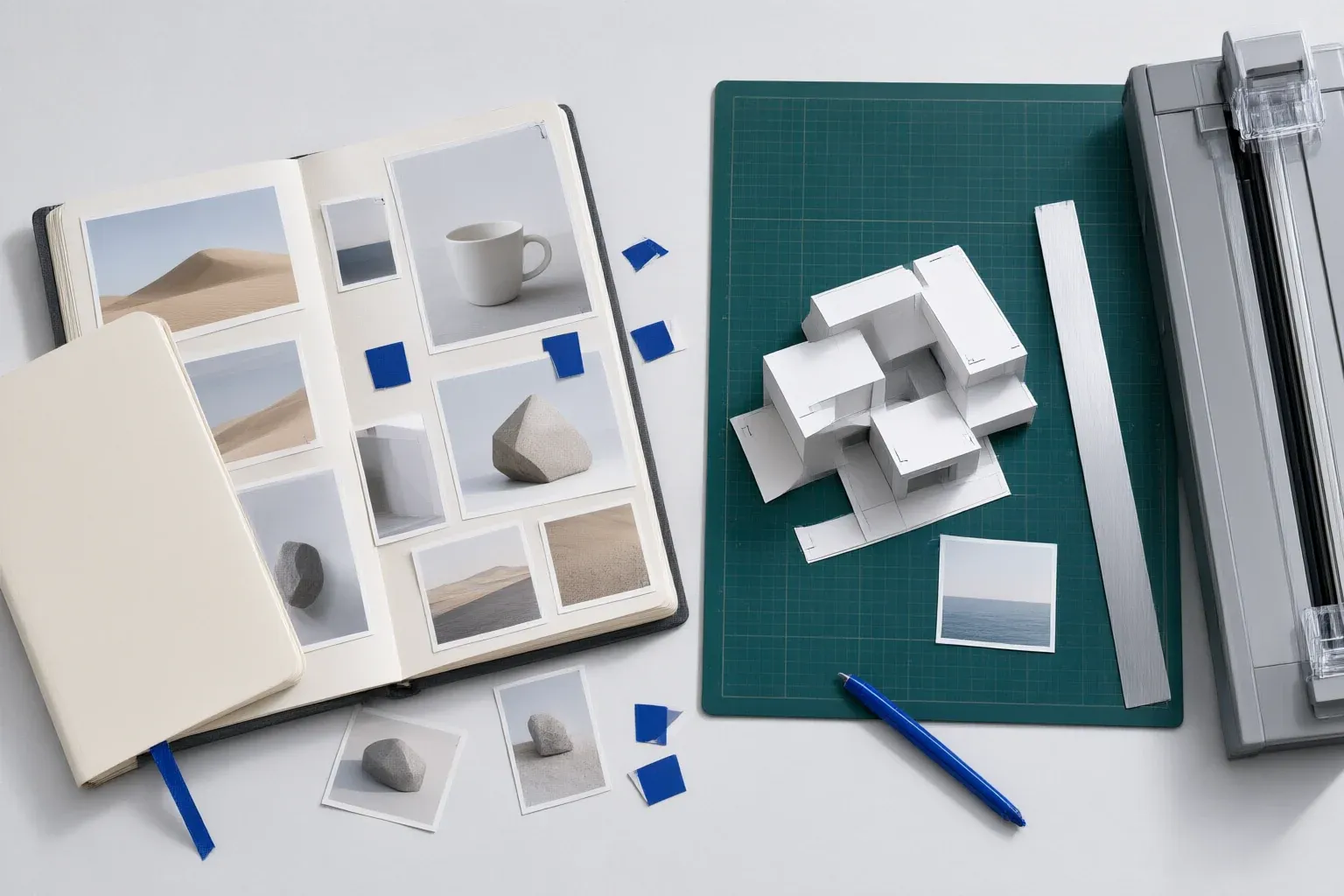
Print small photos at exact custom sizes, mix portrait and landscape images on one sheet, and add cut marks for clean trimming.
Lay out reference photos, miniature inserts, and custom-size craft images in millimeters, centimeters, or inches, with bleed and cut marks when needed.
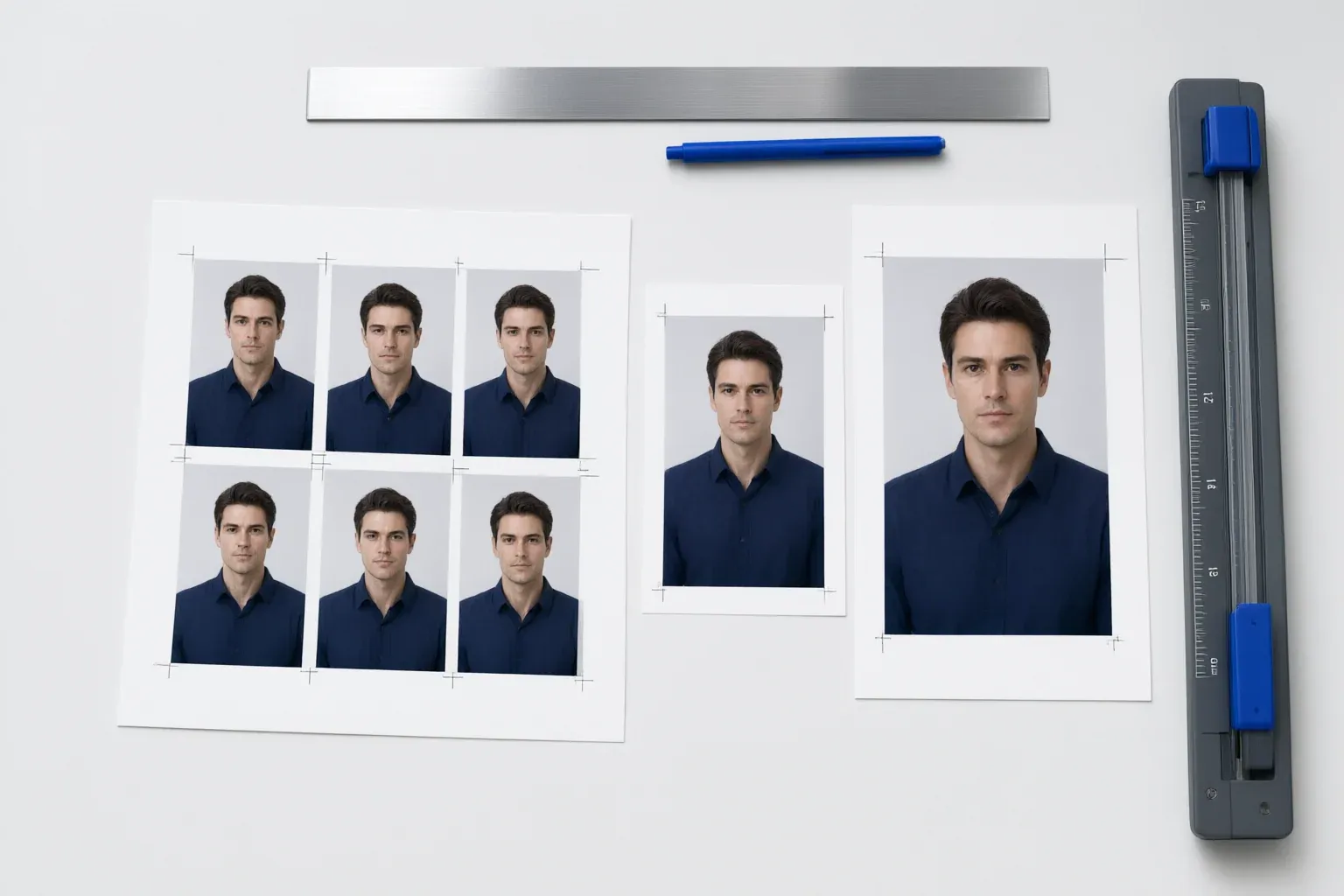
Print several wallet copies of the same portrait alongside 4 × 6 or 5 × 7 school photos without duplicating the source image.
Build mixed-size portrait packages, set copies per image, and check effective DPI and printer margins before output.
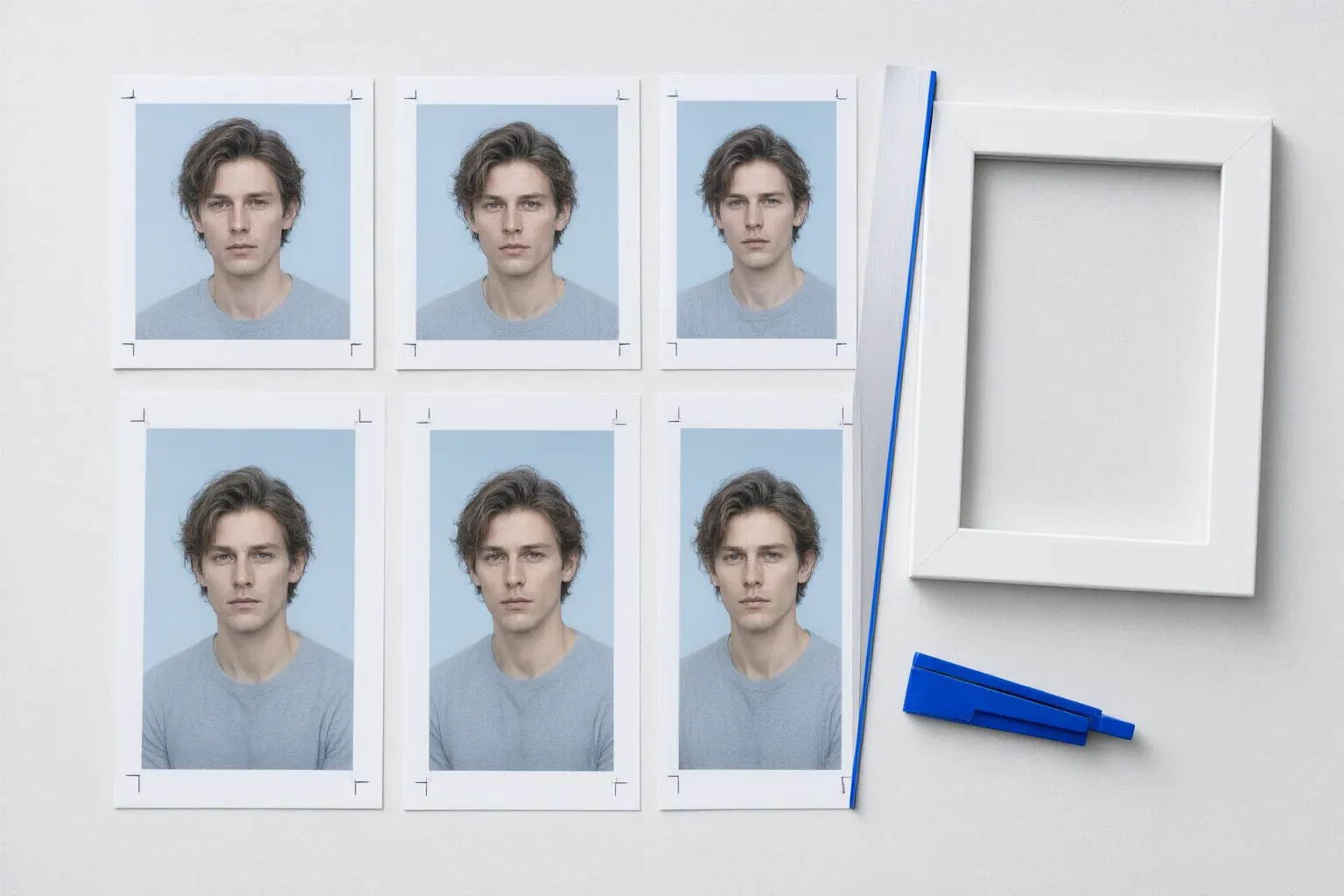
Set 4 × 6, 5 × 7, 8 × 10, or custom dimensions to match a measured frame opening, then review scaling before printing.
Lay out copies of an existing 2 × 2 in, 35 × 45 mm, or custom ID photo with cut marks. PrintExactly does not check government photo compliance.
Print the exact size
PrintExactly sets each Frame, warns about printer, paper, orientation, and printable-area mismatches, and prints its generated PDF without page scaling. It does not detect or guarantee driver or macOS scaling settings.

Output checks
A correct Frame size can still fail when paper, printer margins, borderless mode, or driver scaling changes the output. PrintExactly matches the page menu to your printer's real paper list, draws the printable area as a red dashed guide on the canvas, but does not detect or guarantee driver or macOS scaling settings.
Some printers reproduce every layout slightly larger or smaller on a given axis, even with the paper matched and driver scaling off. PrintExactly saves an independent horizontal and vertical correction measured from a test Page, applied to printed Frames and Content, and can be enabled or disabled per printer at any time. See the printer calibration guide for the workflow, the 80–120% per-axis window, and the test-print measurement. Calibration cannot remove paper feed, mechanical, ink-spread, driver scaling, or borderless expansion tolerances — a ruler measurement of one test print is the final check.
Calibration workflow — the on-screen sequence, not a measurement of printed output:
Illustrative summary of the workspace readout — not printed measurements, and not a screenshot of the macOS print dialog.
The readout summarizes the active layout. PrintExactly outputs the generated PDF without page scaling, but does not detect or guarantee macOS or driver scaling settings. Controls vary by app, macOS, and driver; use 100% or disable fit where offered, otherwise consult documentation and measure a test print.
Page is the paper size, orientation, margins, and the printer-reported printable area. Photo Frame is the finished physical position and size on the Page, including border, bleed, and cut marks. Image Content is the source image pixels or PDF page fitted or cropped inside a Frame. After this definition, the workspace shortens them to Page, Frame, and Content.
Four persistent Content Fit modes decide how Content behaves inside a Frame: Fit keeps every pixel inside the Frame; Crop to Fill fills the Frame edge to edge with a focal point; Fit Width matches Content width to Frame width; Fit Height matches Content height to Frame height. Fit Width and Fit Height scale Content proportionally to match the chosen Frame dimension without resizing the Frame, and they work alongside Content Alignment in both the canvas and the printed output.
Difference
Generic Mac print
PrintExactly
Choose by print task
These tools solve different print jobs. Pick the one whose input and finished output match yours.
Arrange several photos, mixed finished sizes, and copies on the same paper.
PrintExactlyTile a poster, map, blueprint, pattern, image, or PDF over multiple sheets.
Use PrintTilerMerge Excel or CSV rows into labels, name badges, and personalized documents.
Use PrintPiperFAQ
Short answers for the decisions that most often change real output.
Set the Frame width and height in millimeters, centimeters, or inches, arrange it on the real paper size, check the printable area and effective DPI, then print the generated PDF without page scaling. Scale, Actual Size, and Scale to Fit controls vary by macOS, app, and driver and may be unavailable; use 100% or disable fit where offered, otherwise consult app or driver documentation. Measure a test print with a ruler. Read the exact-size printing guide.
Scale to Fit, a mismatched paper size, borderless expansion, or printer-driver scaling can change physical output. PrintExactly warns about printer, paper, orientation, and printable-area mismatches, but does not detect or guarantee driver or macOS scaling settings. Controls vary or may be unavailable; consult app or driver documentation and measure a test print. Read the wrong-size diagnosis guide.
Only when the printer driver offers that paper as borderless. Borderless output depends on the selected printer and the loaded stock — a sheet that is borderless on one printer may be bordered on another, and borderless expansion is driver-dependent. PrintExactly picks the borderless stock from your printer's real media list, but the printed dimension can still shift, so a single test print and a ruler measurement are required when the dimension matters.
Yes. PrintExactly can place 2 × 2, wallet, 4 × 6, 5 × 7, 8 × 10, and custom-size photos together, with separate copy counts for each item.
Calibration prints a test Page, lets you measure the result, and saves an independent horizontal and vertical correction that is applied to printed Frames and Content. You can enable or disable it per printer at any time. After a successful sample the measured width and height fields start empty, and saving keeps the sheet open with the printer, both corrections, and the enabled or disabled state. The sample and any reprint stay uncorrected, so verify with a regular layout at 100% scale (where available) rather than the test Page. Resetting saved corrections asks for confirmation first. It compensates for consistent scaling drift on a given printer; it does not eliminate paper feed, mechanical, ink-spread, driver scaling, or borderless expansion tolerances, so a ruler measurement of one test print is still required. Read the printer calibration guide.
Fit Width matches Content width to the Frame width; Fit Height matches Content height to the Frame height. Both modes are persistent Content Fit choices. They scale Content proportionally to match the chosen Frame dimension without resizing the Frame, and they work alongside Content Alignment in both the canvas and the printed output.
Yes. Save Page setup and Frame layouts as named presets, update an existing preset or save a new one, then reuse it with other photos. Presets do not include photos or Content adjustments such as crop, fit, or rotation. When you apply one, PrintExactly checks current printer paper compatibility and clipping and warns if the layout may not fit; it does not switch the selected printer or resize the layout to fit. Read the reusable-layout preset guide.
On first launch, PrintExactly asks for your preferred unit — inches, centimeters, or millimeters. You can change the unit later from Settings. For the app language, choose Follow System, English, or Deutsch in Settings.
No. Selected photos and PDF pages are processed locally for layout and printing. PrintExactly does not require an account or upload photo or PDF content for layout processing.
Yes. Import selected pages or page ranges from an unencrypted PDF together with images. Each PDF Frame starts at the page's original physical size, so you place the page rather than rebuild the document. PDF annotations and form fields are not included.
Printing and exporting keep PDF vector text and lines as vectors instead of turning them into image pixels. Effective DPI is reported for image Content only, because PDF vectors have no raster resolution. Export writes every layout Page at its designed Page size and does not apply printer calibration to the file.
Yes. Shift-select Frames to batch-edit their properties: settings that differ show a mixed value, and one undo step reverts the change. Scroll to navigate the workspace, hold Command while scrolling to zoom, and pinch to zoom on a trackpad.
Ready for output
Exact dimensions. One print-ready sheet. Made for Mac.